

 Peter Friedman
When a Visitor Is Ready to Talk, Don’t Slow Them Down
Many organisations invest heavily in staff profile pages, service pages, search visibility, thought leadership, and digital marketing. Yet one small design choice can weaken that investment: making it difficult for a visitor to contact a relevant person directly.
A staff profile page is often visited at a high-intent moment. The visitor may be a prospective client, partner, journalist, candidate, referrer, regulator, or existing customer looking for a named expert.
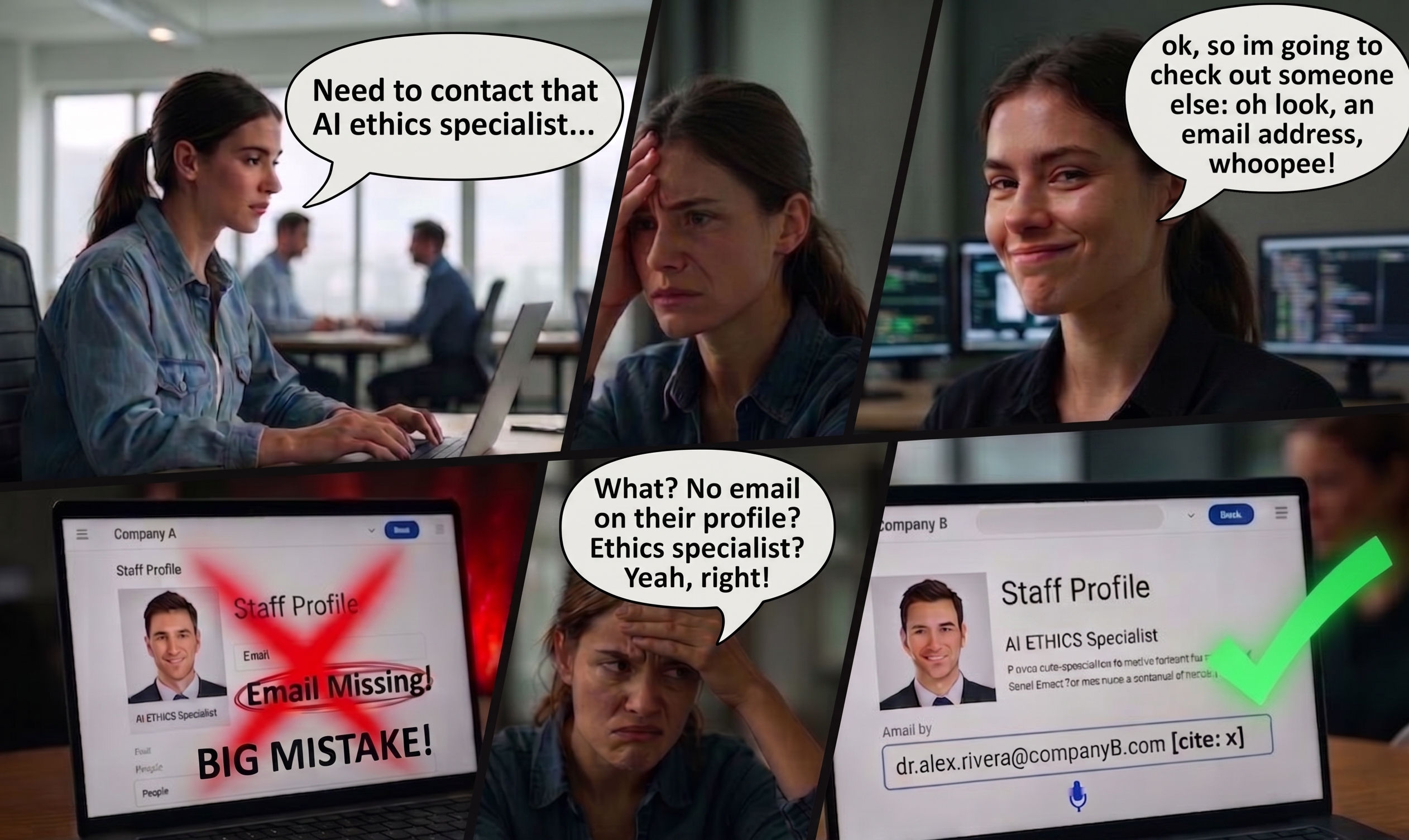
In that context, the absence of a direct email address can create unnecessary friction. Instead of helping the visitor move from interest to conversation, the page may redirect them into a generic contact form, a shared inbox, or a vague “contact us” process.
This does not mean every employee’s email address should be published without thought. Privacy, spam, compliance, workload management, and information security are legitimate concerns.
However, removing direct contact routes altogether can have commercial and operational consequences. The question is not simply whether email addresses should appear on profile pages.
The better question is how organisations can balance accessibility, control, and responsiveness in a way that supports both the visitor and the business.
The Role of Staff Profile Pages
Staff profile pages are not just biographical pages. They perform several practical functions.
They establish credibility by showing who works in the organisation and what expertise they have. They also support search visibility when potential clients look for specialists by name, service area, or sector.
They help visitors decide whether the organisation has the right experience for their needs. Most importantly, they can bridge the gap between online research and direct engagement.
When a visitor reaches a profile page, they may already have moved beyond general browsing. They may have identified a specific person whose expertise is relevant to their issue.
At that point, the page should make the next step clear. A visitor should be able to understand who the person is, what they do, and how to make appropriate contact.
If the only available route is a generic form, the page may feel less like an invitation and more like a barrier. The organisation may still receive the enquiry, but the visitor’s experience has changed.
The interaction becomes less direct, less personal, and potentially slower.
Why Organisations Remove Direct Email Addresses
There are understandable reasons why organisations choose not to display direct staff email addresses.
The first is spam prevention. Publicly listed email addresses can be scraped and added to spam lists. This can create inconvenience for employees and increase the workload for IT systems.
The second is workflow control. Many organisations prefer enquiries to enter a central system so they can be categorised, assigned, tracked, and measured.
A form can capture useful information such as enquiry type, location, urgency, budget, and consent preferences. This can make internal handling easier.
The third is risk management. Direct contact may create concern about inconsistent responses, missed messages, inappropriate advice, or communications that are not captured in a central record.
The fourth is staff protection. Some organisations avoid publishing direct contact details to reduce unwanted approaches, harassment, recruitment solicitation, or excessive interruptions.
These are valid concerns. However, the solution should not automatically be to make direct contact impossible.
A more balanced approach is to design contact routes that are accessible to the visitor while still manageable for the organisation.
The Problem with Generic Contact Forms
Generic contact forms can be useful when they are well designed, monitored, and integrated with response workflows. They become problematic when they replace all direct routes and create uncertainty for the visitor.
A common problem is lack of clarity. The visitor may not know where the form submission goes, who will read it, how quickly they can expect a reply, or whether the message will reach the person they identified.
Another problem is excessive friction. Forms often ask for more information than the visitor is ready to provide.
Mandatory fields, drop-down categories, consent boxes, character limits, and unclear validation messages can turn a simple enquiry into an administrative task.
A third problem is reduced trust. A named expert profile suggests human expertise, but a generic form may feel impersonal.
The visitor may wonder whether the organisation is genuinely open to conversation or simply trying to manage enquiries at arm’s length.
A fourth problem is operational delay. If a form routes messages to a shared mailbox or CRM queue that is not actively monitored, valuable enquiries can sit unanswered.
Even a short delay can matter when the visitor is contacting several possible providers. In many sectors, speed and relevance influence whether an enquiry becomes a conversation.
That applies to professional services, consultancy, recruitment, technology, education, healthcare administration, and many other fields. A slow or generic response can weaken the organisation’s position before the substantive discussion has begun.
Reachability as a Commercial Signal
A visible contact route sends a signal. It tells the visitor that the organisation is prepared to be approached.
It also suggests confidence in the expertise and professionalism of its staff. By contrast, a page with a detailed profile but no direct contact option may create a mixed message.
The organisation appears to promote individual expertise while limiting access to that expertise. For some visitors, this may be a minor inconvenience.
For others, especially those with urgent or commercially significant needs, it may be enough to look elsewhere.
Reachability can therefore function as part of the organisation’s brand. It is not only a technical or administrative detail.
It affects how responsive, open, and client-focused the organisation appears. This is especially important where competitors provide clearer contact routes.
A visitor comparing several providers may choose the one that makes engagement easiest. The absence of a direct email address may not be the sole reason an opportunity is lost.
However, it can contribute to a broader impression of distance or inefficiency.
The Cost of Friction
Digital friction is often underestimated because it is difficult to see. When a visitor abandons a page without making contact, there is rarely a clear notification.
The organisation may only see the enquiries that arrive, not the ones that were discouraged.
This creates a measurement problem. A contact form may appear to be working because some enquiries still come through.
However, the organisation may not know how many visitors left because the form felt inconvenient, intrusive, unclear, or too slow.
The cost of friction can include lost leads, delayed conversations, reduced trust, and wasted marketing spend. If paid campaigns, search optimisation, content marketing, events, referrals, or social media activity bring visitors to staff pages, then the contact experience matters.
It becomes part of the return on that investment. A strong digital journey should not stop at attracting visitors.
It should also support the moment when a visitor is ready to act.
Direct Email Does Not Mean No Governance
Publishing a direct email address does not require abandoning structure. Organisations can make direct contact available while still maintaining oversight.
For example, staff email links can be supported by shared mailbox copies, CRM logging, response-time monitoring, clear escalation rules, and standard guidance for handling enquiries.
Teams can use role-based aliases that still feel direct, especially when they are linked clearly to a named person or specialist team.
Organisations can also use structured email links. A mailto link can pre-fill a subject line or route messages through monitored systems.
Staff can be trained to forward certain categories of enquiry into CRM workflows. Automated tools can help detect whether messages are being answered within expected timeframes.
The objective is not to choose between openness and control. The objective is to create a contact model that is both accessible and accountable.
When a Form Still Makes Sense
Forms are not inherently bad. In some cases, they are the right tool.
A form can be useful when the enquiry requires structured information, such as technical support, complaints, applications, bookings, data requests, or regulated processes.
Forms can also help with triage where the organisation receives a high volume of varied enquiries.
However, a form should be designed with the user’s intent in mind. If the visitor is on a named profile page and wants to contact a specific person, the form should not erase that context.
It should either route the message directly to the relevant person or make clear how the enquiry will be handled.
A good form should be short, transparent, and purposeful. It should explain where the message goes, what response time to expect, and why each requested field is necessary.
It should not be used merely to shield the organisation from normal business conversation.
Practical Audit: Testing the Digital Front Door
Organisations can begin by auditing their staff profile pages and contact pathways.
The audit should ask several practical questions. Does each relevant profile page provide a clear next step? Is there a direct email address, a named contact route, or a clearly explained alternative?
If a form is used, does it identify the intended recipient or department? Are response expectations visible? Are enquiries tracked from submission to reply?
Are abandoned profile-page visits measured?
The organisation should also test the experience from the visitor’s perspective. This can be done through mystery shopping, user testing, or internal review.
A tester can attempt to contact a named person and record how long it takes to receive a relevant reply.
The test should assess not only whether a reply arrives, but whether it is helpful, timely, accurate, and appropriately personal.
This type of review often reveals gaps between the organisation’s intended process and the visitor’s actual experience.
Response Speed and Response Quality
Making an email address visible is only one part of the issue. The organisation must also be ready to respond.
A direct email address that goes unanswered can be worse than no email address at all. It creates an expectation of accessibility and then fails to meet it.
Organisations should therefore define response standards for public-facing contact routes. These might include expected reply times, out-of-office coverage, escalation rules, and guidance on which enquiries should enter formal systems.
Teams should know how to handle high-intent commercial enquiries, urgent client issues, media requests, recruitment approaches, and misdirected messages.
Quality also matters. A quick but generic reply may not create confidence.
The strongest responses acknowledge the visitor’s specific need, explain the next step, and connect them with the right person or process.
Managing Risk
The risks associated with direct contact can be managed through policy and technology.
Spam can be reduced through filtering, obfuscation, monitored aliases, and security tools. Compliance risk can be reduced through staff training, approved response templates, record-keeping rules, and escalation procedures.
Workload can be managed through shared responsibility, delegation, and clear routing. Privacy concerns can be addressed by deciding which roles genuinely require public contact details and which do not.
Not every employee needs to be directly contactable from a public page. The decision should depend on the role, likely enquiries, risk profile, and relationship-building value.
For client-facing specialists, partners, consultants, recruiters, academics, advisers, or business development contacts, the case for visible contact details is often stronger.
For internal operational roles, a team-based contact route may be more appropriate.
A Balanced Contact Model
A practical model may include three layers.
The first layer is direct contact for high-value or relationship-led interactions. This may include individual email addresses on relevant staff profile pages.
The second layer is structured routing for operational enquiries. This may include forms, shared inboxes, support portals, or service-specific addresses.
The third layer is monitoring and governance. This may include response-time tracking, compliance checks, CRM integration, and periodic mystery shopping.
This model recognises that different enquiries require different routes. It avoids treating every visitor as an administrative ticket while also avoiding the risk of unmanaged communication.
The Role of Monitoring Tools
Organisations that make direct contact available should monitor whether the system works in practice.
An email discovery or mapping tool can help identify which contact routes are publicly visible across websites and digital assets.
This is useful because public contact points often become outdated, inconsistent, or forgotten.
A response monitoring tool can measure how quickly public-facing addresses reply to enquiries. This helps identify silent inboxes, overloaded teams, or broken routing processes.
Compliance testing can review whether replies follow organisational policies, legal requirements, and tone standards. This is particularly important in regulated sectors or where staff handle sensitive enquiries.
Mystery shopping can add a human layer of evaluation. It can assess whether the experience feels helpful, clear, and credible from the perspective of a real visitor.
Together, these practices turn contact accessibility from a design preference into a measurable operational standard.
Recommendations
Organisations should avoid assuming that generic forms are always safer or more professional than direct contact options. They should evaluate the issue through evidence.
Useful evidence includes visitor behaviour, response times, enquiry quality, abandonment rates, and conversion outcomes.
A good starting point is to review all public staff profile pages and classify them by contact need.
Client-facing and externally visible experts should usually have a clear, direct, and monitored route for contact. Where direct email is not appropriate, the alternative should be specific, transparent, and fast.
Forms should be shortened and clarified. They should preserve the visitor’s context, especially when submitted from a specific profile page.
The organisation should tell the visitor what will happen next and when they can expect a reply.
Response workflows should be tested regularly. Publishing contact details is only beneficial if the organisation can respond well.
Timeliness, relevance, and accountability are central to the experience.
Finally, organisations should treat reachability as part of their digital front door. A website does not only communicate through design, copy, and credentials.
It also communicates through the ease or difficulty of starting a conversation.
Conclusion
The absence of an email address on a staff profile page may seem like a small operational choice. In practice, it can affect trust, responsiveness, and commercial opportunity.
Generic forms have their place, but they should not be used automatically as a substitute for human contact.
When visitors are ready to speak to a named expert, organisations should make that step as clear and low-friction as possible.
The strongest approach is not unrestricted exposure or excessive gatekeeping. It is managed accessibility: clear contact routes, monitored responses, sensible safeguards, and regular testing of the visitor experience.
A reachable organisation is not necessarily less controlled. Done well, it is easier to trust, easier to approach, and better prepared to turn intent into meaningful conversation.

Footnote Zone for No Email Address on That Profile Page: Why Reachability Still Matters
Nok Nok, a specialist in online responsiveness tool design, has developed a four-part diagnostic suite to identify where staff-profile contact routes create friction, delay, compliance risk, or avoidable loss of visitor intent.
- Email Finder: Where organisations hide direct contact options, rely on generic web forms, or allow public-facing mailboxes to become inconsistent, Email Finder scans the organisation’s website for published addresses and contact routes. It reports structural deficiencies, missing links, abandoned contact points, and discrepancies between the contact experience visitors expect and the routes actually provided.
- Reply Radar: Where high-intent enquiries are slowed by understaffed queues, unmanaged shared inboxes, or delayed form-routing workflows, Reply Radar deploys targeted test emails to measure real response behaviour. It quantifies reply rates, latency, silence patterns, and practical response gaps across public-facing contact channels.
- Compliance Sniffer: Where automated replies, generic acknowledgements, empty platitudes, or degraded message quality weaken trust, Compliance Sniffer analyses incoming responses against objective quality and compliance benchmarks. It identifies whether replies are accurate, useful, policy-aligned, and consistent with the organisation’s stated communication standards.
- Mystery Shopper: Where visitors encounter systemic UX breakdowns, aggressive gateway filters, defensive contact journeys, or unclear routing from staff profile pages, Mystery Shopper conducts an end-to-end responsiveness audit. It tests the full visitor experience, from finding the relevant person to receiving a helpful, timely, and credible response.

Sources and relevant reading for No Email Address on That Profile Page: Why Reachability Still Matters
- 24 Best Contact Us Pages You’ll Want to Copy [+ Templates] — HubSpot, updated 3 December 2025.
This piece supports the article’s argument that contact options should be clear, easy to find, and aligned with visitor expectations. It is especially relevant to the sections on staff profile pages, contact-page design, and the need to make the next step obvious. - Top 22 Contact Form Best Practices to Increase Conversions — Jetpack, updated 2 October 2025.
This source is useful for the article’s discussion of form friction. It explains why contact forms should be short, clear, fast-loading, secure, and regularly tested. It also supports the point that long or confusing forms can discourage visitors from completing an enquiry. - Checkout Optimization: 5 Ways to Minimize Form Fields in Checkout — Baymard Institute, 26 June 2024.
Although focused on checkout UX, this research is relevant because it shows how additional form fields increase cognitive load and abandonment risk. The same principle applies to profile-page contact forms that ask for more information than a visitor wants to provide at first contact. - B2B Lead Response Times: What We Learned from 114 Companies — Workato, 24 March 2026.
This source directly supports the article’s argument about response delay. Workato tested demo-request responses from 114 B2B companies and found that many companies either ignored leads or responded too slowly. It is relevant to the sections on response speed, operational delay, and missed commercial opportunity. - Analyze Form Submission Data — HubSpot Knowledge Base, last updated 16 April 2026.
This source supports the article’s recommendation that organisations should measure form performance rather than assume forms are working. It is relevant to the discussion of abandonment, conversion tracking, submission data, and the need to evaluate contact pathways with evidence. - The State of Customer Experience 2025 — Verint, 2025.
This report is relevant to the article’s wider point about customer expectations. It highlights the importance of digital channels, speed, convenience, and the ability to reach a human agent when needed. Those themes support the case for clear, responsive contact routes. - Zendesk 2025 CX Trends Report: Human-Centric AI Drives Loyalty — Zendesk, 20 November 2024.
This source supports the article’s point that automation should not remove the human quality of customer interaction. It is relevant to the discussion of generic responses, trust, personalisation, and the need to balance operational efficiency with meaningful contact. - The Death of Customer Service: Why Has It Become So, So Bad? — The Guardian, 17 April 2025.
This article provides broader context for the frustration users feel when organisations make contact difficult. It is relevant to the article’s discussion of digital voids, slow replies, automated barriers, and the reputational cost of poor responsiveness.


